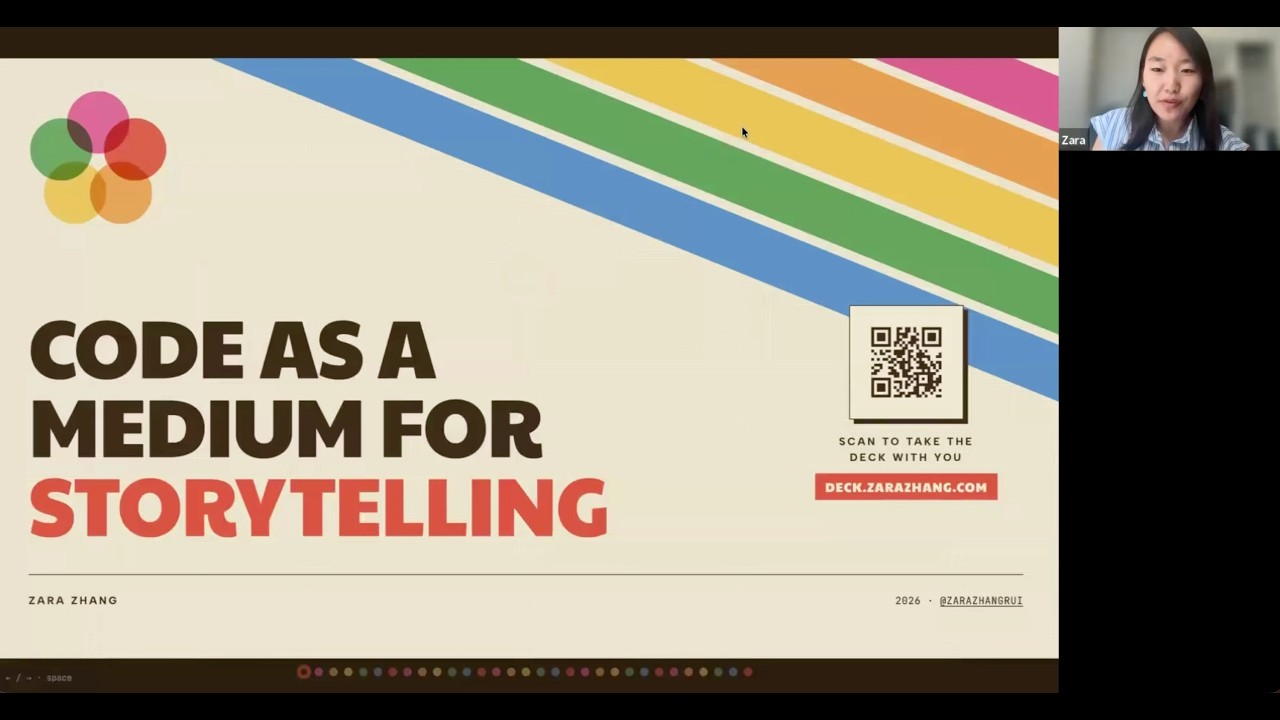
Code as a medium for storytelling
The theme of my presentation is code as a medium for storytelling.
I think because I don’t come from a traditional background, I think of coding from a different lens from most professional engineers or programmers.
And so today I’ll talk about a few things. I’ll go through my own background, how I started vibe coding, and the projects I’ve built and how I built them, and then why it matters.
So first, where I started.
I actually never thought of myself as a coder. I studied humanities in school. I never took CS.
Actually, in 2023, I wrote a blog post called why I’m not learning to code. That kind of went viral.
So at that point, I was like, I’m proudly a humanities person working in tech.
And I think tech needs more humanities people with a different lens.
I was challenging the traditional belief that only technical people can work in tech.
But a lot changed in the past year.
So I started vibe coding maybe a year or two ago. I first tried a lot of the web-based tools, but at that time the models weren’t good enough. So I couldn’t complete projects.
It was mostly demos or little tools for myself. I couldn’t really build for other people.
But I think January this year was a turning point.
So in January, I started using Claude Code and other coding agents.
And I was able to ship products to end users other than myself.
I’ve somehow accumulated almost more than 30,000 stars on GitHub, with more than five projects with over a thousand stars, which is beyond my belief because before this January I’ve never even used GitHub. I wasn’t even sure how GitHub worked.
But since January, I think January was a watershed moment for AI coding. A lot of nontechnical people could really get their hands on coding and start building real projects.
Front-end slides
I’ll go through a few of the projects I built. The first one is front-end slides.
So the deck you’re seeing right now is built from this skill. This is a skill that allows you to build presentations using HTML, leveraging the coding agent’s front-end capabilities and replacing the traditional PowerPoints.
This was inspired by the fact that coding agents are very, very good at front-end design.
So I was thinking how can we apply it to an area that also has to do with design but isn’t traditionally touched by code.
So I realized that HTML is a great canvas for the model to express itself.
What you’re seeing right now is just a bunch of the templates I’ve built for the HTML slides, and they look really beautiful. I don’t think they look like traditional slides.
I actually give them a lot of references from artworks and very unique color combinations. I wanted to create more different looks from the traditional slides.
This is my most popular skill so far. It has more than 21,000 stars on GitHub.
I actually didn’t expect it to take off, but slides are such a universal thing that a lot of people need. With this skill, you can make them really, really quickly without having to do any of the pixel pushing yourself.
So this is how it works from the user experience point of view.
First the agent, like Claude Code, will ask you a few questions like what is the purpose and use case for your deck, roughly how long do you want it to be, do you have the content ready or should I help you write them?
And then it will ask you if it’s speaker-led or more for reading, because it determines the density of the slides.
Then it will build you three different style previews for the covers. This is to let the user have more say in how the design is made.
And then it will go and build the full slide.
After that, you have the option to edit it, or you can publish it to a URL. The deck I have right now is deployed to Vercel, and I had it point to my own domain. So it becomes kind of a website that you can easily share with people.
And what’s nice is you can also track it because it’s a website. So you can know how many people have opened it, etc.
And then I realized HTML is actually a really great medium for slides because AI models kind of speak HTML as a native language because it’s all over their training data. A lot of models are trained on tons of web pages.
So they are very, very good at arranging text and images on screen.
And then websites and slides have a lot in common. They’re basically just text and images arranged in rectangular boxes and sections.
And also if you make it in HTML it becomes interactive and sharable.
For example, on this slide I have a laser pointer cursor, and on the bottom you have navigation dots that let you jump to different slides and hover to see the title.
And then you have interactions like animation effects, or you can click to enlarge any of the media.
So these are all the cool things you could do on the web.
Preventing AI slop
I wanted to talk a little bit about aesthetics because I think that is the key to this skill.
I spent a lot of time figuring out how to make the slides look stunning, or at least not AI slop.
And the solution I came up with was templates, but not the traditional templates.
If you think about traditional PowerPoint templates, they’re just PowerPoint files that you fill content in.
At first, I tried making the templates like HTML files. But then I realized the model would overfit the template.
So it would just take whatever arrangement or layout the template had and then try to squeeze the content in that layout, which compromised the content quality.
Then I heard about design.mmd, which is basically a markdown file that describes the design of a web page: the color combination, the fonts, the vibe, and overall design guidelines.
It’s just a markdown file.
So I realized the model can do a better job with just this markdown file rather than the HTML file.
That’s what I ended up using. Basically, if you look at the templates, every folder is just a markdown file.
And then from this markdown file, the model can do a pretty good job replicating the design system.
How to prevent AI slop in design?
I think the first thing is to use Claude Code because Claude is a lot better than Codex or other models when it comes to front-end design.
In my day-to-day I use both Claude Code and Codex a lot. But if it’s anything that has to do with design, I always choose Claude because it’s just a lot better and gives a lot of opinionated references.
These are some of the examples of the kind of images I would collect on Pinterest or other places. I would just save them in the folder and then let Claude reference them when making designs.
Codify design guidelines as design, like I just showed.
And also I think we need to know what AI slop is before we can prevent it.
So I think last year AI slop looked like this: a lot of purple gradients.
But this year AI slop is looking like this. This look is very Claude. It’s instrumental serif, italic.
So I think the goalpost is always constantly moving forward, because once everyone starts using the same tools like Claude design, you just see a lot of designs that look very similar to each other and then people get tired of it.
So I think we just need to know what this common design slop looks like and then ban it.
And I like to make playgrounds.
What I mean by playgrounds is basically an HTML file where you can see a lot of different options for different things.
For example, this is a playground for fonts for this deck. Basically just have Claude make a bunch of different options for you to compare.
And then this is a playground for colors. You could just click through the different combinations and get a feel for which one you like.
And this is a playground for animations. You can view all the types of cool stuff it can do on the web and let it show all the tricks it can do.
So then you can kind of pick and choose what you want to use, kind of like a menu.
If you’re not sure what you want, just have Claude make a playground with lots of different options and then choose from there.
SVGs, media, and interfaces
And also I realized SVG could be pretty useful.
This was a website I made. It’s like a list of my favorite restaurants and shops in Tokyo because I visit a lot.
The way I made it was actually through Google Takeout, where you can export all of your personal data from Google products. So you could actually export all your saved locations in Google Maps as an Excel spreadsheet.
And I gave that spreadsheet to Claude to turn into a website.
But what I really love about it is the cool illustrations like this cat and the little illustrations for the different types of restaurants and stuff.
These were generated as SVGs using a product called Quiver AI.
Quiver specializes in AI generated SVGs, but I really like how intricate it is and how it kind of seamlessly blends into the overall vibes of the design.
So I think SVGs is a very underrated form factor that we can blend into HTML designs.
And then for this deck itself, the way I made it was first I just had a folder of the various images and videos because I did have a lot of media I wanted to embed.
So I just put them in a folder and then I gave it very specific instruction on what I want to include in each slide.
And of course it took a lot of rounds of different iterations, but I did have a very specific idea of what I want in each slide.
Then I tell Claude how to use the different media assets.
Tab Out and the new tab page
The next category of software I made was super interesting. It’s like modifying your own software interfaces to fit your own goals.
This is especially good for the web. You can make Chrome extensions for yourself that modify websites or apps that you frequently use to make them better for you.
For example, I built a little Chrome extension called Tab Out.
The problem I struggle with is that I have a lot of tabs in my browser and I never close them. The only time I close my tabs is when my computer crashes and they are forced closed.
I struggle with finding the right tab when I need it, and then it’s just too much to deal with.
So I brainstormed with Claude what can we build to do this?
And it turns out that you can actually customize your new tab tab.
So this is the new tab tab. When you open a new tab, this landing page, you can actually vibe code this landing page.
I turned this landing page into kind of a mission control for all your open tabs.
So you can see them at a glance, and then you can close any tabs at one click.
For example, I can see what are duplicate tabs and then just close them with one tap.
And there’s also a very satisfying swish and sound and confetti when I close them.
And if I want to close a lot of different tabs at one go, for example all my Gmail tabs, I can just click that and then close all my homepages.
So it becomes almost like a game. It’s very addictive.
I wanted to make closing tabs addictive because the way most browsers are designed, they only encourage you to open more tabs. They never encourage you to close them.
So I was like, I want to modify the interface so that it encourages different behavior.
It groups them by domains, which makes it easy to see what you have.
This extension is open source.
You can change the sound. You can change whatever you like.
This is the cool thing about open source: a lot of people have actually modified it to fit their own habits.
For example, this user changed it into a to-do management system. You could have your tasks, your schedule, your reading list, whatever you want on this page.
So I think the new tab tab is a very underutilized real estate on our computers because we open it so frequently throughout the day.
But usually it’s just a Google search bar or some random stuff.
So I encourage everyone to make full use of the new tab page and customize it however you like.
Some people change it to dark mode, some people add their frequently visited web pages.
Because it’s open source, anyone can just do whatever they want with it.
For most of my open source project, I actually want people to not just use it, but remix it.
And so yeah, this is the code on GitHub. You can download it or get Claude Code to install it for you.
Learning from long videos
The other interesting thing, which I’m still building, isn’t finished yet: it’s a tool that helps me learn from long YouTube videos.
For example, I have this super long podcast that I want to watch but I may not have time to consume the full length, or the content might be too dense for me.
It’s a lot of technical stuff.
So I could open this side panel, which first grabs the full transcript of the podcast so I can quickly read the text.
It also fully works with audio, and I can click the right part to jump to that part of the video.
If there’s anything I don’t understand, I can select it and then the AI will explain it.
This is very useful for technical videos or podcasts for education.
Then if you’re not sure if this is worth your time, there’s an overview tab where you get a highlight overview of what the video is about.
It will also pull the top quotes from the video using LLM, and then you can click any part to download or copy it with one click.
I also like this remixing idea because sometimes I prefer to read it.
But I don’t want to read a bland summary, because summaries are usually really bad. They don’t capture the best parts of the video. They’re too brief and too generic.
I like a few form factors for the remix.
The first one is a magazine article. So the prompt is basically like transform the transcript into a New Yorker-style magazine that is a long substantial read but also a lot easier to consume than a long video.
This is very suitable for things like a long podcast, Lex Fridman type of podcast.
You can also do a business biography if it’s a person being interviewed, or you can do a briefing.
Whatever format you like.
Notes is also really interesting.
So as I’m watching the video, you can see there is a note button here.
What I can do is, even without pausing the video, I can click it to take note.
Let’s say I’m watching Anthropic and then he says something I want to note. It’s just going to pop up this little panel that takes what he just said into a note.
So it’s going to rewind maybe a few seconds to capture what I just heard and then turn the transcript into a little note, which I can copy, timestamp, turn into a tweet, or put into my notebook.
So this is kind of just like a personal learning tool to make the most of long YouTube videos.
How much time does it take to make a new project?
It really depends. I think the making part is actually not that hard or time consuming. The time consuming part is actually using it and feeling it and iterating it based on how you’re using it and your own behavior.
For example, for Tab Out I first made a more sophisticated tool. I had an LLM categorize all my tabs into tasks and themes, and then I realized I just wasn’t using that feature.
I ended up just wanting to be able to close them.
So I turned closing tabs into the main feature after just feeling it for a while.
So even if building it only took like a day or a few hours, it maybe took me a week to get a hang of how I’m actually interacting with it and how I can shape it more around my actual behavior.
A personal ad network
The other category I thought was really fun was creating your own personal ad network to shape your own behavior.
Advertisers are constantly trying to capture our attention on different platforms. But what if we can manipulate our own attention to do things we actually want to do?
I have this habit of hoarding X bookmarks.
So I save a lot of posts on X as bookmarks, but I just rarely open them. Sometimes I forget about it or I don’t have time.
So I end up with hundreds of bookmarks.
So I was like, how can I get myself to actually read the bookmarks?
I built a little Chrome extension that modifies the X homepage.
The cool thing with browser extensions is they can actually modify the web interface of products you use.
So here I inserted a bookmark from my bookmarks into the top of my X homepage.
So it’s almost like an ad.
So every time I open the X homepage, the first post I see is something from my bookmark.
It’s a great reminder to go read your bookmarks first before scrolling the rest of X because the X homepage is something I’m already frequently opening.
It’s like a great entry point for me to read the bookmarks.
This is what I mean by a personal ad network.
Usually if you use any social media, this spot will be occupied by a lot of ads, but you can actually use a Chrome extension to shape it to get the behavior you want in yourself.
And the same thing with YouTube Watch Later, etc.
I think another real estate that is very underutilized is the phone wallpaper because we open our phone hundreds of times per day.
When I was learning Japanese, I tried turning my wallpapers into shuffling Japanese vocabulary images.
You can build these wallpapers using Claude Code or any agent.
The images are just HTML.
So you can get the agent to make HTML in the phone dimension and then export as images and then put them in an album on your phone.
And on iPhone, you can actually set your wallpaper to shuffle for a specific album.
So every time you tap it, it shuffles to a different wallpaper.
This is kind of like a personal ad system if you want to study something.
This is also a cool lesson: most people think you can only make images with image gen models, but actually code is very good at designing images like this.
Especially if it has to do with arranging text on screen or text and images, code and front end is very, very good for that.
So if you want to make posters, cards, or decks, code is actually a lot better than image generation.
Content remixing
The next category is content remixing.
Now that we have agents, we actually have the opportunity to remix any sort of content into whatever format you like, because we all consume content in different ways.
For example, I tried turning the Acquired podcast into a physical book.
I like the Acquired podcast. It was just super, super long and I don’t have time to go through all of them.
So I was like, if it’s a physical book, I would love to read it.
So I downloaded their transcript from their website and then used Claude, with a super long prompt, to turn each episode into a chapter of a book.
Each chapter is like 20 pages.
It’s still a very long read, but I actually really like reading it because the content is so dense and sometimes when I’m listening to the podcast, I find myself drifting off.
And I actually got it printed as a physical book and I designed the cover and everything.
This is what it looks like.
And each chapter is like an episode of the show.
This prompt is pretty long, but basically I get it to write it not as a generic summary because I don’t think a summary works. It’s also not very readable.
So I got Claude to write it as a great business biography, kind of like Shoe Dog or The Everything Store, that kind of vibe.
It needs to preserve the best quotes and anecdotes from the original show as much as possible so that you still get the best parts.
But then it maps it in a story that’s very readable.
And then if there are a lot of technical or business concepts that may not be understandable easily, I also got it to explain it in layman language.
This kind of prompt I build with Claude.
So I have an idea of the types of things I like and then I just bounce ideas with Claude together.
How I build and choose ideas
Do I spend a lot of time on prompt building?
I think I just spend a lot of time chatting with Claude.
I think the specific words don’t matter that much.
I think when the models first came out, you had to say the magic words to get them to do certain things, but now they’re smart enough that you can just brain dump your thoughts.
Brain dumping is very important.
I know a lot of people use voice input to do that.
I think that’s very good.
So basically just ramble. Just give it a lot of thought. It doesn’t even have to be super structured, but I think giving it your raw unfiltered thoughts and a lot of context would be good.
And then Claude can help you turn it into a very structured prompt.
The other type of remixing is turn videos into newsletter.
Just like I showed you, I can remix a podcast into a magazine article. You can also turn that magazine article into an ebook.
Then you can have it emailed to your inbox on a regular basis.
So you could get a weekly newsletter of your favorite podcasts and then read them in the ebook app almost like a book.
This is also a super interesting project because I don’t really know how to code still, but I kind of want to understand how the code works under the hood.
I also had an opinion around how we should learn computer science in this age of AI.
I think traditionally in school we learned bottoms up. You had to go through a lot of foundational courses first before moving up to the more interesting stuff.
But I feel like now we should just build first.
We should just turn our ideas into reality with the coding agents and then go and ask, hey, how did you build it? How does it work under the hood?
So I made this project called Codebase to Course because I think the best CS course you can take is your own vibe-coded project.
That’s the best learning material.
So this is a demo of that.
For example, I built this tool called Longcut.
I just gave the codebase to Claude Code and said, turn it into a course.
So the course is just an HTML file that’s interactive.
It first breaks down what it does, the user journey, and then if there are technical terms you can hover over them to see a layman explanation.
It also has a really useful side by side of here’s the code and here’s the layman English version translation of that.
It will also give you quizzes to help you understand the key concepts.
And then this part is really interesting where it simulates how the components interact with each other as a group chat.
So the different APIs or technologies in the codebase are talking to each other just like people talking in a group chat.
I found simulating them this way really helps with understanding.
So there are a lot of different tricks to help you break down technical concepts into easy to understand components.
All of this is packaged into a skill that you can use on GitHub.
So basically point it to any GitHub repo or local codebase and it will turn into a HTML-based CS course, and then also turn Excel spreadsheets into interactive dashboards.
I think HTML is very good at visualizing data.
For example, here’s an Excel spreadsheet of my X analytics and then you can just give it to Claude Code or any agent and it will turn it into an interactive chart.
Which tool I use for which skills?
I mainly just use Claude Code and Codex.
The use cases I pick for them are: if it has anything to do with design or brainstorming products, I always use Claude Code.
If it’s just executing or everyday day-to-day tasks, I use Codex.
I think Codex is great for when you already know what you want or you just need to fix a bug.
It’s great at execution.
It’s also a little bit cheaper.
But if you don’t know what you want, you just want to brainstorm and chat, or you want product ideas, you want to be inspired, you want great design, then Claude Code is much better.
Build small, build in public, build for fun
The last part was about the projects I built. The next section will be about how I built them.
So first of all, how to get product ideas.
The way I think about product ideas is I think it’s the intersection of users and technology.
A product brings user and technology together.
So when you think about product ideas there are two directions you can take it.
One is to start with the user and the other is to start with the technology.
I think both can work really well.
If you start with the user, I think I got a lot of ideas not just from my own pain points but also from talking to people who are very different from me, because I think product inspiration comes from empathy.
So I get to know how people think and then I also meet a lot of people for coffee and stuff.
Just hearing the pain points from a lot of different people really helps inspire my ideas.
The other is to feel your own pain point and brainstorm with Claude Code.
And this is important: use it for a week and see if you’ll still use it because I actually killed a lot of product ideas because I thought theoretically I would like use this thing, but in practice I just didn’t.
So I just felt like it didn’t work.
So I think a good idea has to be proven empirically that you or someone would actually stick with it.
Here I wanted to give an example of Tab Out.
I actually went back to Claude Code and was like, hey, go through our chat history and then build me an HTML that simulates how this idea came about.
So it didn’t start out with, hey, build me a Chrome extension that does blah blah.
It actually started with a question.
The question was like, my Chrome browsing history is stored locally right? Can you access it?
Because I just saw someone on Twitter build something with their Chrome history and I thought, wow, the AI can access my browser history. There must be some room there for building cool stuff.
But I didn’t know exactly what I wanted to build yet.
So I literally just asked Claude, you have it, right? And then it was like, yes, I have it. I was like, let’s do something with it.
And then I told it my problem: I hoard too many tabs. I never close them. Some of them are tasks that I haven’t finished.
What can you do to help?
I didn’t really have a specific idea, and then Claude gave me a few ideas, but then I said how do you make sure I’ll actually use it because a lot of ideas sound simple in theory but then I just end up not doing my to-dos because all of them require you to be very disciplined.
Then Claude said, maybe have you considered making it your new tab page, which I thought was a brilliant idea because on my own I didn’t know the new tab page could be customized.
Like I will never remember to click a button.
So can you put it somewhere where I don’t have to click anything, where I’m already naturally opening it frequently.
And that’s how it came up with the new tab page.
Then I got it to build some mockups and gave it a lot of specific feedback.
Most of it is just from my own behavior.
For example, can you add satisfying animation and sound effect?
I just wanted to make it a lot more fun and addictive.
So this is starting with a user.
The other way is to start with a technology.
I’m always on X. I think I’ve tuned my X algorithm such that it’s like a very high density information hub for new technology and AI stuff.
So I get a lot of new models, new products, new APIs, new cool technologies, like use cases, designs.
So I bookmark them and actually block out time to try them hands-on.
I think it’s very important to try technology hands-on.
If you see a cool new product or API, just send it to Claude and ask, how can we build something with it?
So a lot of times it’s not like you start with a pain point. A lot of times you just start with a technology, like a cool API for example, and then you can brainstorm with Claude about what you can make with it.
I also want to advocate for building something small, because I think most of the internet will teach you to build something big, but I actually think in the age of AI we should start small.
Every big thing starts as a small thing.
In order to capture people’s imagination you need a very sharp value proposition and positioning to stand out.
Right now I’m hearing so many products that are all-in-one AI agents that help you with everything in your work and life and integrate with everything.
And I just feel like that’s so generic.
Like if that’s your positioning, I may as well just use Claude, you know, because Claude is that.
If you want me to use your product, you have to offer something differentiated and special, with an opinion and soul behind it.
You need to start with a very specific use case, a very specific target audience, a problem, and an opinion.
Doing everything means it’s doing nothing, and speaking to everybody means you’re speaking to nobody.
So that’s why I think we should start with building something small.
And I also think we should build for fun and build to learn.
Someone asked how I monetized these projects.
I didn’t actually build them for monetization. These were mostly just side hustles and hobby projects.
It was also a great way for me to learn because I think the best way to learn product management is just to build products from zero, and this wasn’t available as an option if you were trying to learn it the old way.
So I think that’s just a great learning experience.
It’s also really fun, almost like you can build a community of people who are using your products and think alike.
And I also think opinionated products survive.
If you’re just building a generic, unopinionated AI tool, people may as well just use their general Claude or Codex or whatever.
I think the reason people will use your tool is because the opinion behind the product resonates with them.
So here is the opinion behind my products for front-end slides: I don’t like PowerPoint. Use HTML to replace PowerPoint. HTML is the next medium for storytelling.
And I think the reason a lot of the products resonated with people is because the ideas and opinions behind the products resonated with people.
So sometimes I almost think of my GitHub as like a Substack.
Because in the past when you had an opinion you wrote an article or made a video or something.
Now when you have an opinion you can put it into a skill or a product, because every product is an expression of how you think and the unique way you perceive the world.
Coding as a skill
If you want to get started with building similar projects, here are some practical tips to get started.
First of all, especially for beginners, using the best model can really save you a lot of time and even save you money.
I usually just use the best model by default.
Unless you have really repetitive work, in that case you can use a cheaper one.
The way I talk to the model is I don’t treat it as my employee or assistant.
I actually treat the model as my co-founder.
I do a lot of brainstorming with it.
I describe problems, not solutions.
For example, for Tab Out I just said, all my browser history is here. What can we do with it?
Without a specific idea in mind.
So I think we don’t have to have a very complete spec when we talk to Claude.
We can just describe the mess we’re in and see what we can do with it.
The third one is build around your actual behavior and not what you think you do, because human behavior is very messy.
Humans are lazy. We’re forgetful. We’re unpredictable.
So for a lot of the products, I think there’s a lot of wishful thinking: they expect people to remember to open a website and click on a button and do all these things.
So I like to build products around that, which is why I think after I build something it takes me like a week to feel it, to see okay am I still using this or did I forget.
Cut more than you add.
I think the models are very good at adding stuff, and because adding things is so easy and the cost is so low these days, we tend to become very greedy.
But then I realized I just didn’t end up finding it that useful.
It also consumed a lot of tokens.
So in the end it was like just get rid of that.
Like I’ll just categorize them by domain.
So this tool ended up having no AI, but it also ended up being better because it was shaped around what I actually needed.
Before I ship anything, I always take the time to cut a lot of things.
Putting in the reps is really important.
The more you do it, the better you get. I got a feel for it maybe after my eighth project or so.
So I just built a lot and then some of them failed, some of them were more successful, but I think just building a lot really helps.
Building in public is really useful.
When I posted Tab Out on Twitter, it got almost half a million views.
At that point it had a server and I actually didn’t know why I needed a server.
So I asked Claude Code why do we need this?
And then Claude was like, oh, we don’t actually need it.
So I just deleted it in the end.
I wouldn’t have known if it hadn’t commented on my post to tell me that. So I think showing your product in public and then having people give you feedback is great.
And then the last one is just make it fun.
I think it’s important to be not so utilitarian.
You don’t have to make a ton of money from it or get 100 million users.
Even if it’s just for you and your friends, it can be really useful and educational.
I really like this quote by Peter Steinberger, who is the creator of Open Claude.
He said, “It’s hard to compete with somebody who’s just there to have fun.”
And I think Open Claude was born out of a fun side hustle. It wasn’t built as a billion dollar business.
So I think a lot of good ideas can come out of these non-utilitarian pursuits, and if we just try to have fun with the models, push them to their limits, and see what happens, ideas show up.
Skills, packaging, and closing thoughts
And because a lot of people are trying to make skills, I wanted to talk a little bit about skills specifically.
For example, for front-end slides, the way I make it is first you just have an idea and then try to get Claude to do it.
So for example, I want to make a slide HTML. Just give it the content and do it without a lot of specific instructions, and then it will inevitably make slop.
So the first iteration is probably really, really bad.
So you just give it a lot of feedback: don’t use purple gradients, don’t do this, don’t do that.
And then this iteration will probably take like 10 or 20 or dozens of turns.
But this is very important: you actually need to spend a lot of time on this stage.
The next part is really important.
Tell the AI: turn everything we just did and package it into a skill.
So the workflow and iterations you went through are the actual skill.
The way you make the skill is not by starting with making a skill. It’s by ending with a skill.
So you do the thing first and then you say, hey, turn whatever we just did into a skill.
Because you give it so much specific feedback, it’s able to incorporate your specific taste.
At the last step you can package it into a more user-friendly version and then publish it on GitHub to share with others.
To close out, I think coding is evolving from a profession into a skill.
Traditionally we think of writing more as a skill. There are professional writers like journalists and book writers, but we mostly think of writing as a skill.
I think coding is the same.
Before AI coding, we mostly thought of coding as a profession. Only engineers did it for a living.
But now that AI coding has made it accessible to everyone, I think it’s evolving into a skill where anyone can just talk to the models and turn ideas into reality.
No matter what you do, if you’re a business owner, a marketer, a product manager, or a designer, knowing how to work with coding models will help you.
We need to differentiate engineering from coding.
Engineering is a very serious discipline. It’s a career. It requires a lot of training.
But coding is just a tool. It’s just like writing, like a skill. If you have an idea you can turn it into reality.
Most people never need to build stuff in production. You’re not necessarily an engineer working on a production-level product, but you can still build things for yourself.
So I kind of think of it as we should stop thinking about coding as something that’s super serious and distant from my life.
Vibe coding is a form of self-expression.
For most of my career I was a storyteller. I started as a journalist. I worked as a marketer. I did a lot of writing.
But when I started vibe coding I realized I didn’t pivot from storyteller to coder. I just discovered a new medium for storytelling, and that medium is code.
Which goes back to my title: code is a medium for storytelling.
I encourage everyone to tell your own story through code, because previously you probably told it through writing or videos or content, but now if you have an idea, you can make it real.
That’s all I wanted to talk about.
You can take this deck with you by going to this URL or scanning the code. All of the projects I mentioned are on my GitHub.
Thank you.